 Gateles
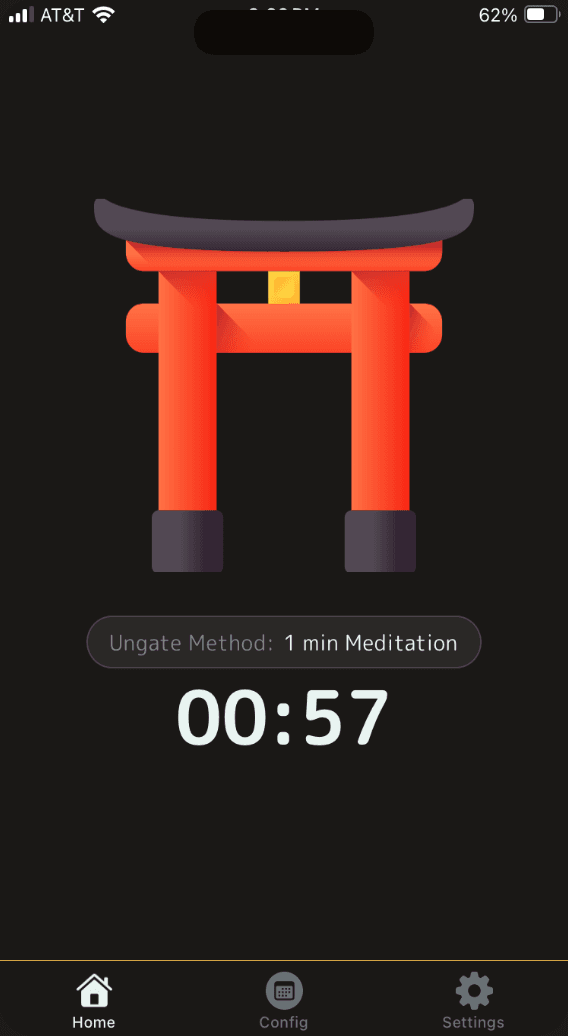
How Gateles verifies your meditation
Gateles only opens a gate once it can confirm a meditation actually happened. You verify in one of two ways: a meditation app such as Headspace, Calm, or Waking Up that logs mindful minutes to Apple Health, or the built-in timer with optional front-camera posture verification that runs on your iPhone. You can't skip it.
Last updated:
Two ways to verify


Headspace · Calm · Waking Up · Insight Timer
Apple Health · mindful minutes Gateles opens the gate
Method 1
Your meditation app
- What you do
- Meditate in Headspace, Calm, Waking Up, or another app connected to Apple Health.
- What counts
- A mindful session at least as long as your sit time, logged after the gate went up.
- Where it's checked
- Read from Apple Health on your iPhone via HealthKit.
Method 2
Built-in timer
- What you do
- Sit with the Gateles timer, optionally in view of the front camera.
- What counts
- Your full sit time. With camera verification on, still and upright the whole time.
- Where it's checked
- On your iPhone. Camera frames never leave the device.
Why verification matters
A timer only knows that time passed. It can run while you do something else, and a “start session” button is easy to tap and ignore. Most app blockers trust you at exactly the moment you least trust yourself.
The gate opens because you sat, not because you waited.
Method 1: your meditation app, through Apple Health
If you already meditate with an app, keep using it. Gateles doesn't replace it; it reads the sessions your app saves to Apple Health as mindful minutes.
- Connect your meditation app to Apple Health so it saves sessions as mindful minutes. Step-by-step for Headspace, Calm, and Waking Up.
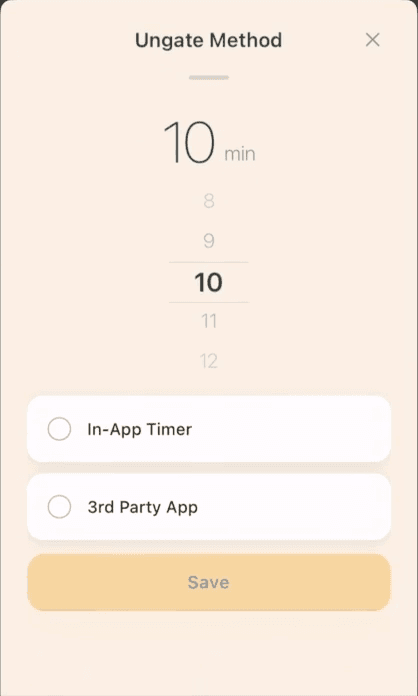
- In Gateles, set your sit time, choose 3rd Party App as the Ungate Method, and allow Gateles to read mindful minutes when iOS asks.
- When the gate is up, meditate in your app the way you normally would.
- Gateles reads the new session from Apple Health. If it counts, your apps open.
What counts as a valid session
- It is at least as long as the sit time you set.
- It was logged to Apple Health after the gate went up.
A session from earlier in the day, or one shorter than your sit time, doesn't open the gate.
Method 2: the built-in timer, with optional camera verification
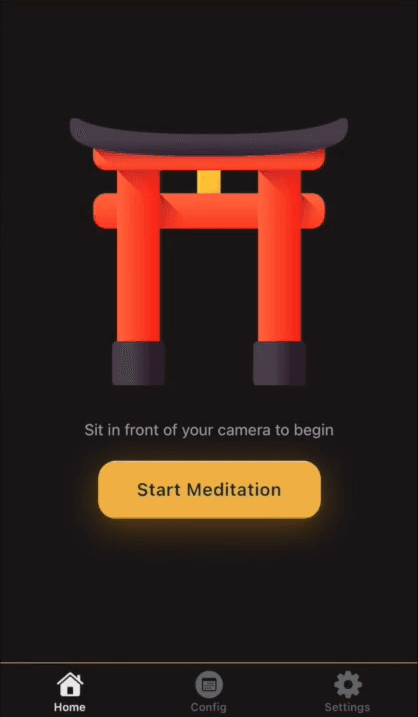
No meditation app? Or one that doesn't write to Apple Health? Choose In-App Timer as the Ungate Method, set your sit time (even a minute counts), then sit.
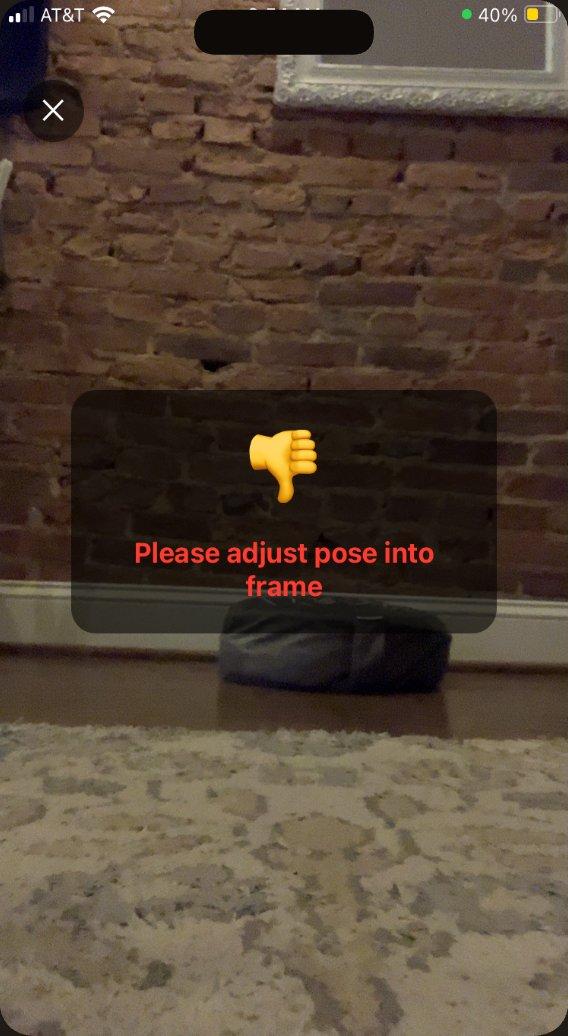
For a stricter check, turn on camera verification. Gateles uses the front camera to watch your posture during the session: you need to stay still and upright for the full sit time. If you drift out of frame, Gateles asks you to adjust your pose back into it.
Privacy
Camera
Frames are processed on your iPhone by a local pose-detection model. No video is recorded, stored, or sent. Gateles keeps only the resulting confidence and stillness scores.
Apple Health
Gateles only reads mindful sessions. It doesn't write to HealthKit and doesn't share or sell your health data. Only the session duration is stored on Gateles' servers.
The full details are in the privacy policy.
What about real emergencies?
Gateles has emergency unlocks for the moments that truly can't wait. They are a strictly limited safety valve, not a skip button: you get a small, fixed number per period, and they are meant to be used rarely.
Frequently asked questions
Does a meditation I did before the gate went up count?
No. A session from your meditation app counts only if it was logged to Apple Health after the gate went up and is at least as long as your sit time.
Can I start the built-in timer and walk away?
Not with camera verification on: it checks that you stay still and upright in front of the front camera for the full sit time. With the camera off, the built-in timer only knows that time passed, so camera verification is the stricter choice.
Does Gateles record or upload video?
No. Camera verification runs entirely on your iPhone. No video is recorded, stored, or sent. Gateles keeps only the resulting confidence and stillness scores.
Which meditation apps can verify a session?
Any meditation app that logs mindful minutes to Apple Health, such as Headspace, Calm, and Waking Up. Gateles reads those sessions through HealthKit.
What if my meditation app doesn't write to Apple Health?
Use the built-in timer instead, and turn on camera verification if you want Gateles to confirm you actually sat.
Does Gateles write anything to Apple Health?
No. Gateles only reads mindful sessions from Apple Health. It doesn't write to HealthKit, and it doesn't share or sell your health data.